Where to find your Order ID
Follow these steps on G2G to find the order number for the form on the main page.
-
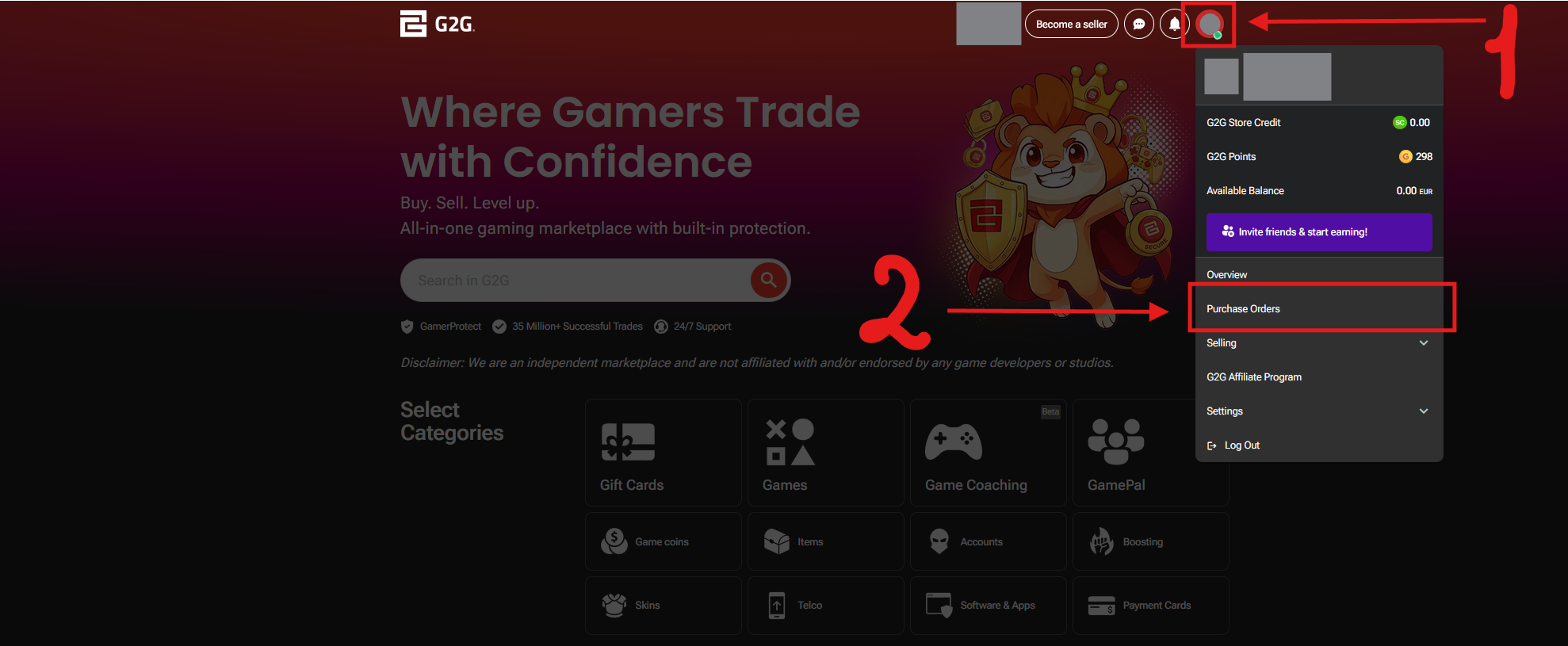
1. Click your profile icon in the top-right corner, then select Purchase Orders from the menu.
-
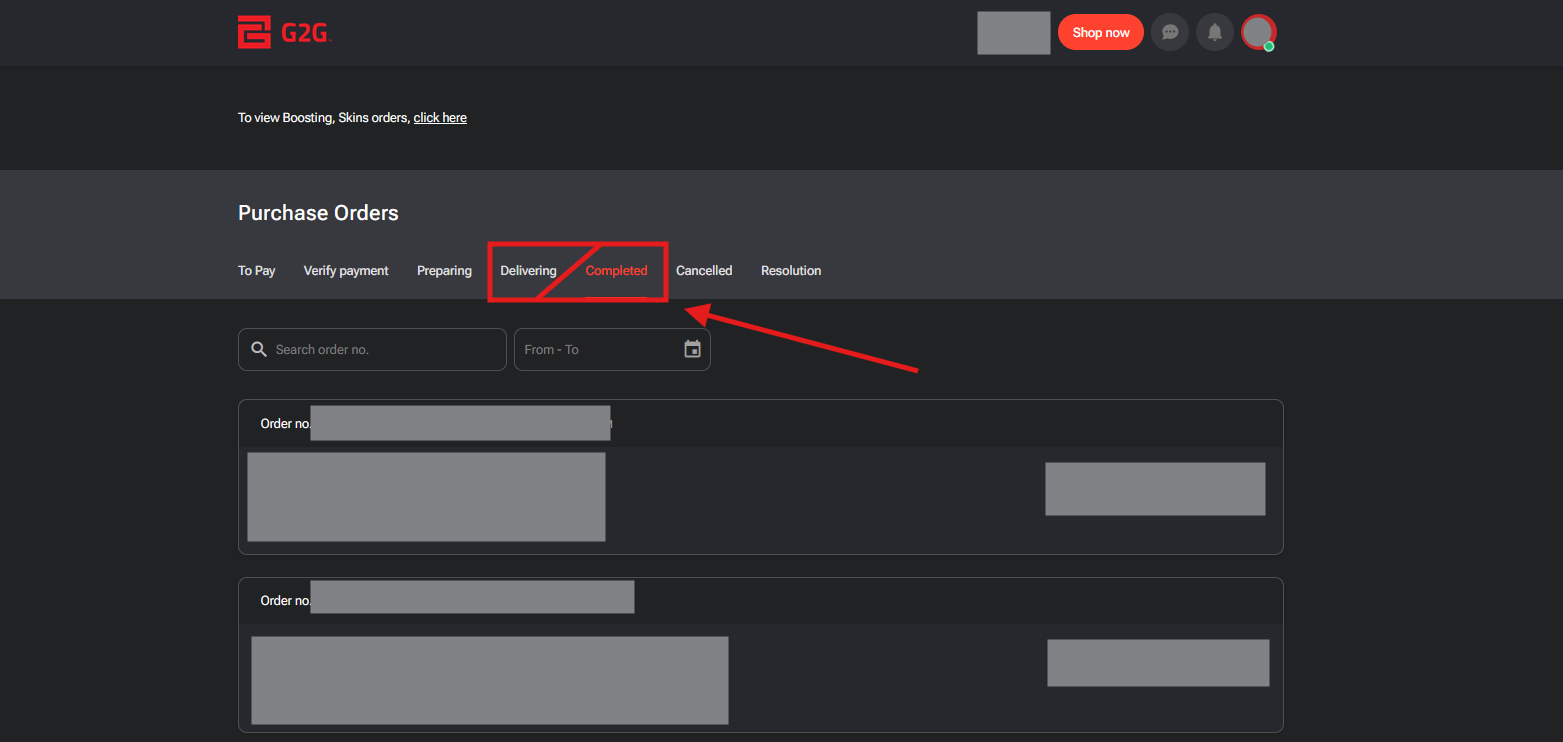
2. Open the Delivering or Completed tab to see your orders.
-
3. Copy the Order no. from the list and paste it into the form. You can copy it directly from the list, or tap the order to open its details page and copy the number there — use whichever way is easier for you.