Where to find your Account Email
Follow these steps on G2G to find the account email for the form on the main page.
-
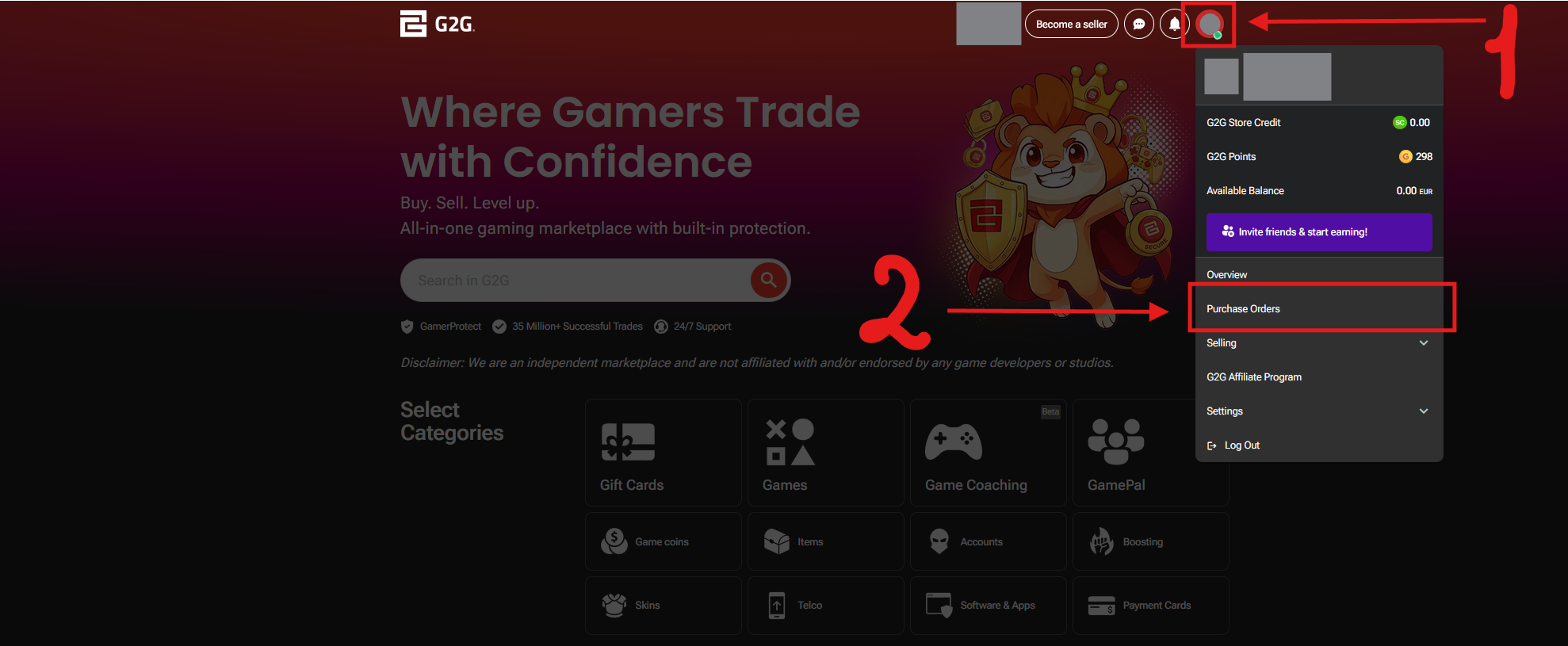
1. Click your profile icon in the top-right corner, then select Purchase Orders from the menu.
-
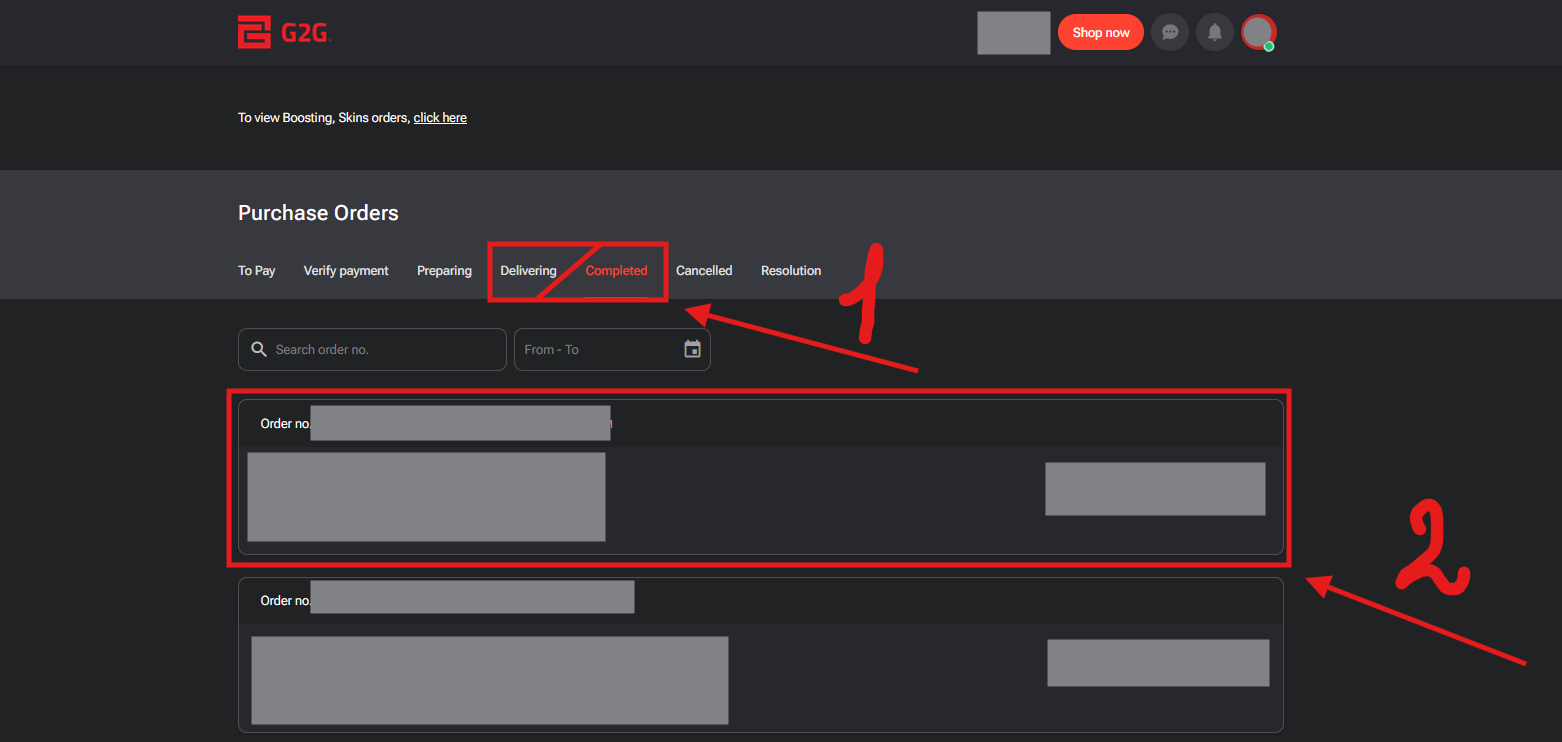
2. Open the Delivering or Completed tab, then tap your order to open it.
-
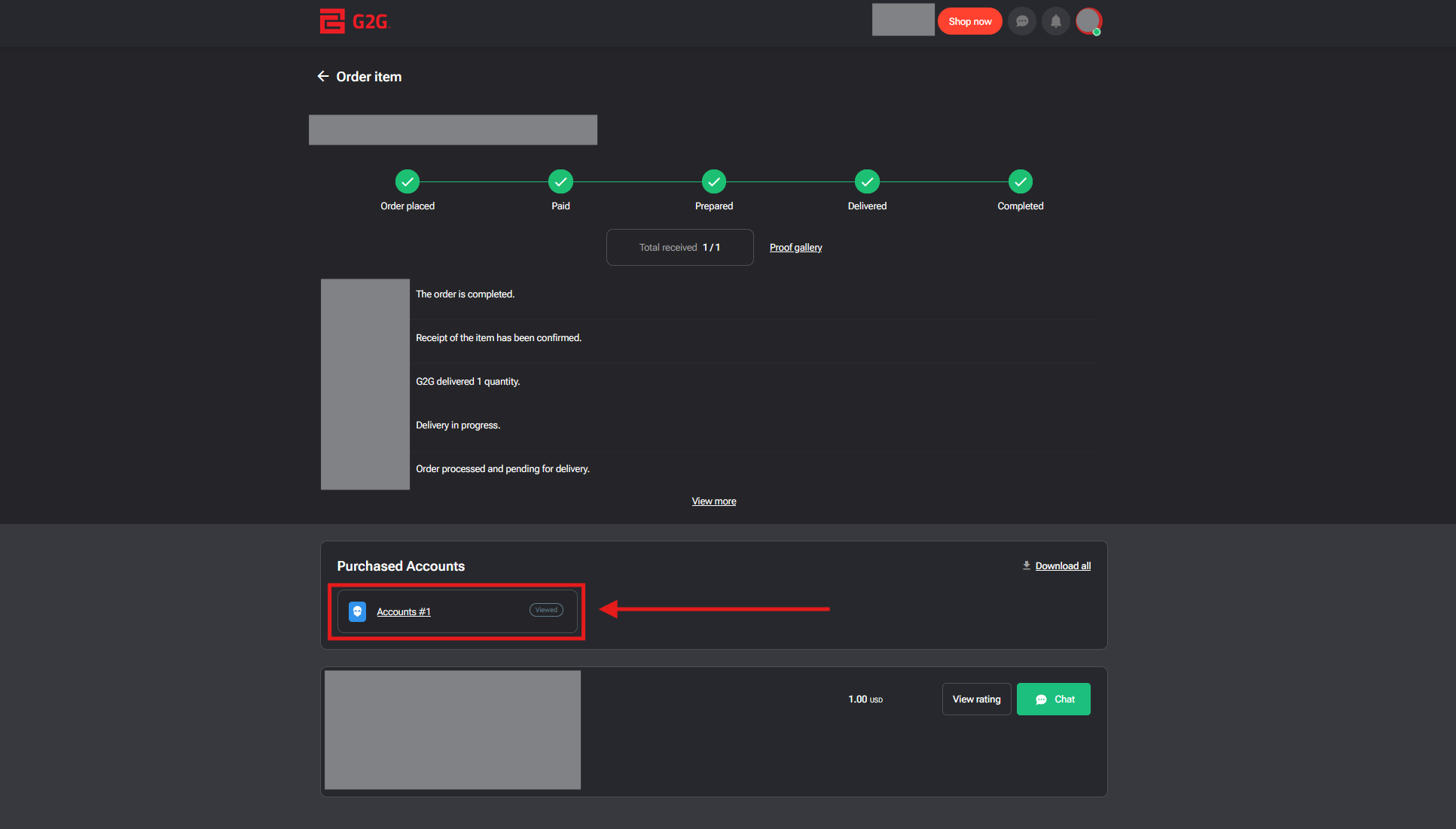
3. On the order page, scroll to Purchased Accounts and tap Accounts #1 (or the account button shown for your order).
-
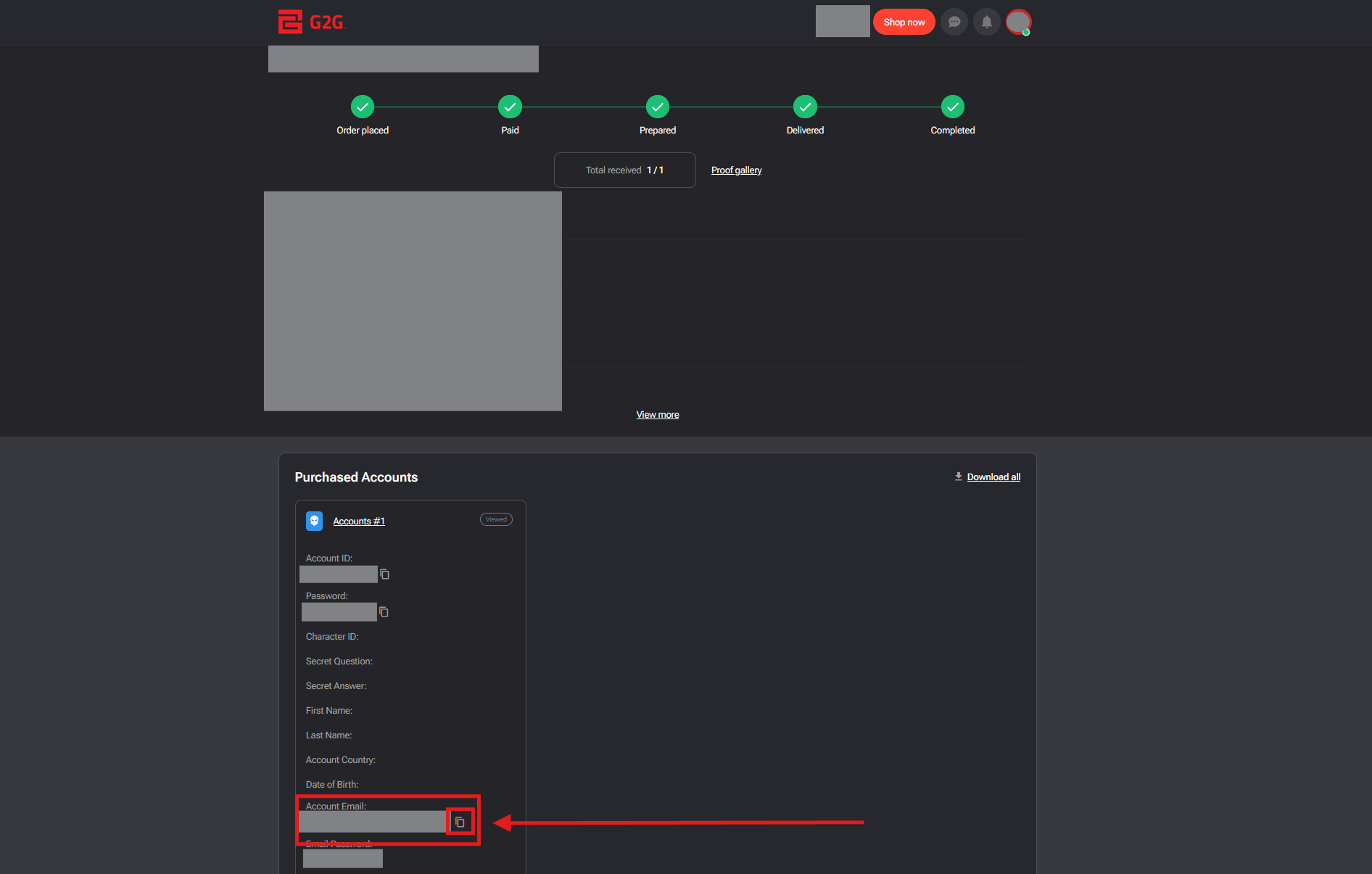
4. Find Account Email and tap the copy icon next to it. Paste the email into the form on the main page.